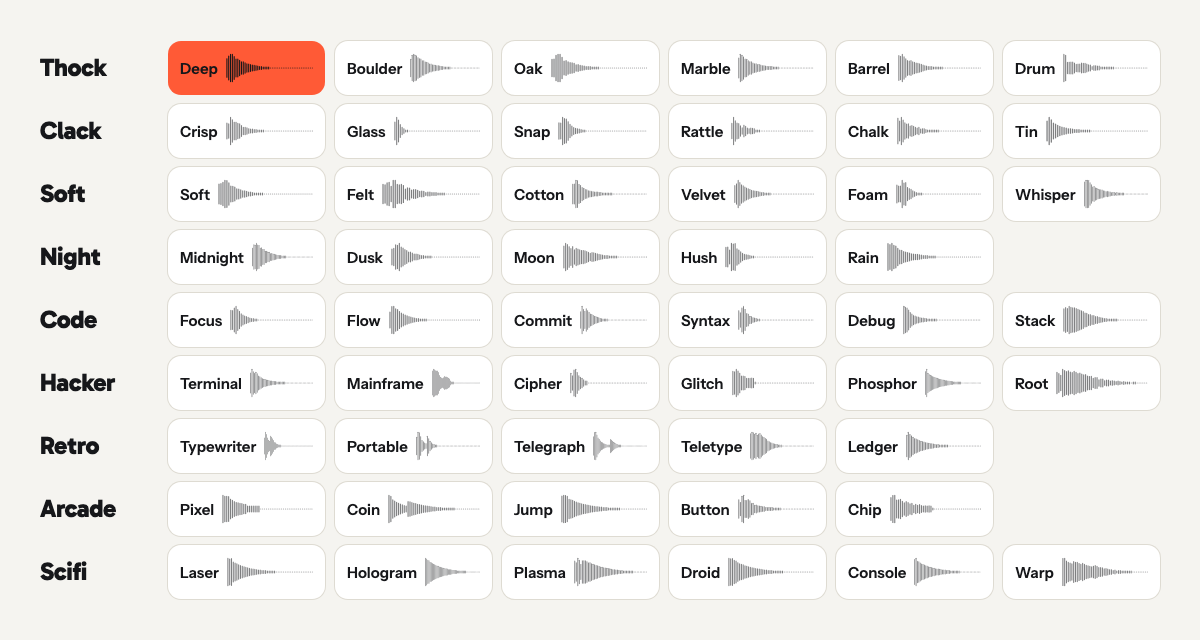
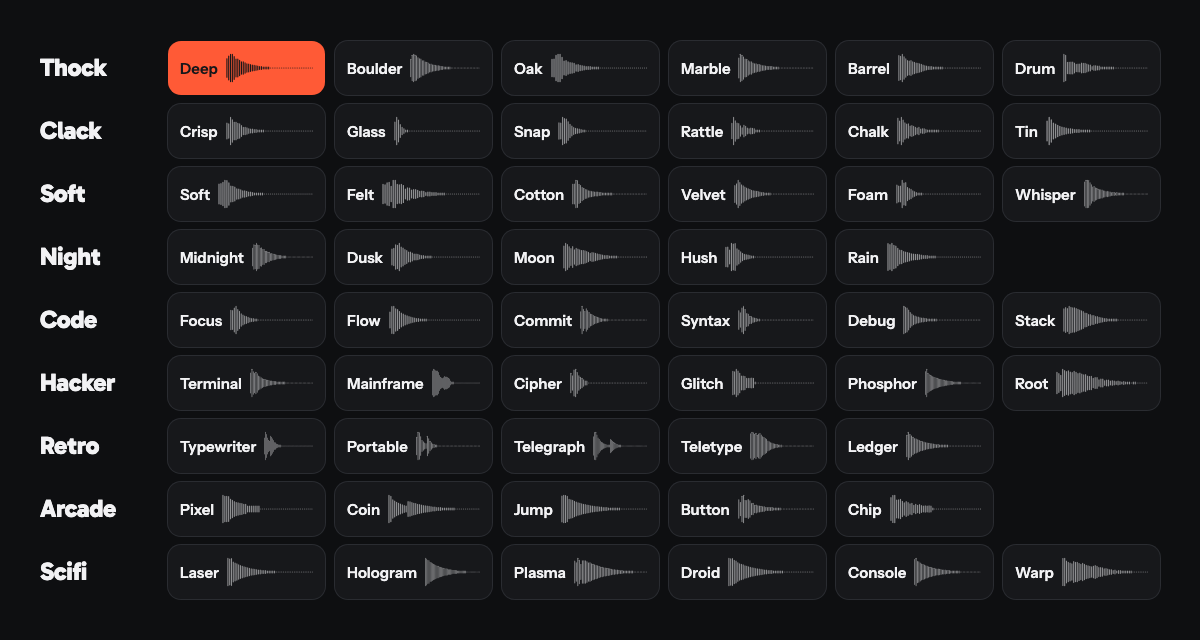
65 packs, no two alike
Mechanical, Thock, Clack, Soft, Night, Code, Hacker, Retro, Arcade and Scifi. Every pack is measured against its neighbours, so two packs in one category never blur into the same sound.
Teclo plays a mechanical keyboard sound for every key you press, in any app. 65 sound packs, and a keycap pet you dress up yourself, which gets happier the faster you type and powers up when you keep the pace.
Press the orange keys, or just start typing. It wakes up.
These are the sounds the app plays, exported straight from its synthesizer. Pick a pack, then type on your keyboard or tap the keys.
0 wpmasleep
Butter Mechanical
Linear, lubed, on gaskets and foam: a soft deep knock.
505 Hz centre · 80 ms press
Above its 5 moods the pet has 4 power-ups. Type at 50 words a minute or faster for 4 seconds and it catches fire. Keep going: steady typing at 72 words a minute makes it a legend about 47 seconds after your first key. Type anywhere on this page to climb, or step through the ladder as a preview.
Live · 0 wpm
No key for 60 seconds and it nods off. It yawns 6 seconds before.
Rays fly out every time you press Return, for 0.5 seconds.
A counter pops up at 100, 250, 500 and every 1,000 keys typed without a 5 second stop.
When a power-up ends, it lets out a phew with a drop of sweat, for 3 seconds.
It yawns 6 seconds before it falls asleep, unless a key comes first.
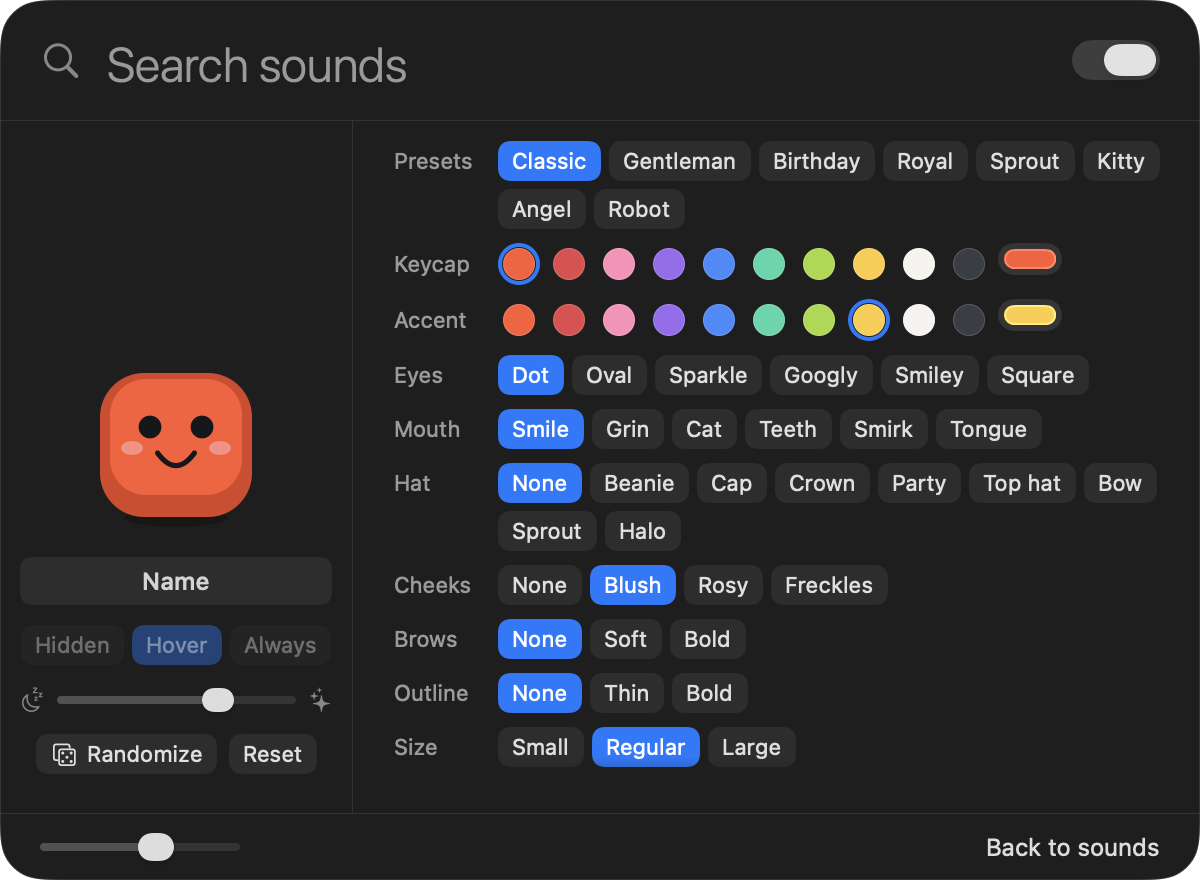
These are the app's own options: 10 colours or one you mix, 6 kinds of eyes, 6 mouths, 8 hats, a name, and a tick-box for each power-up and reaction. Dress one up here and it follows you down the page.
Happy
A lot of sounds, one pet, and not much else to think about.
Mechanical, Thock, Clack, Soft, Night, Code, Hacker, Retro, Arcade and Scifi. Every pack is measured against its neighbours, so two packs in one category never blur into the same sound.
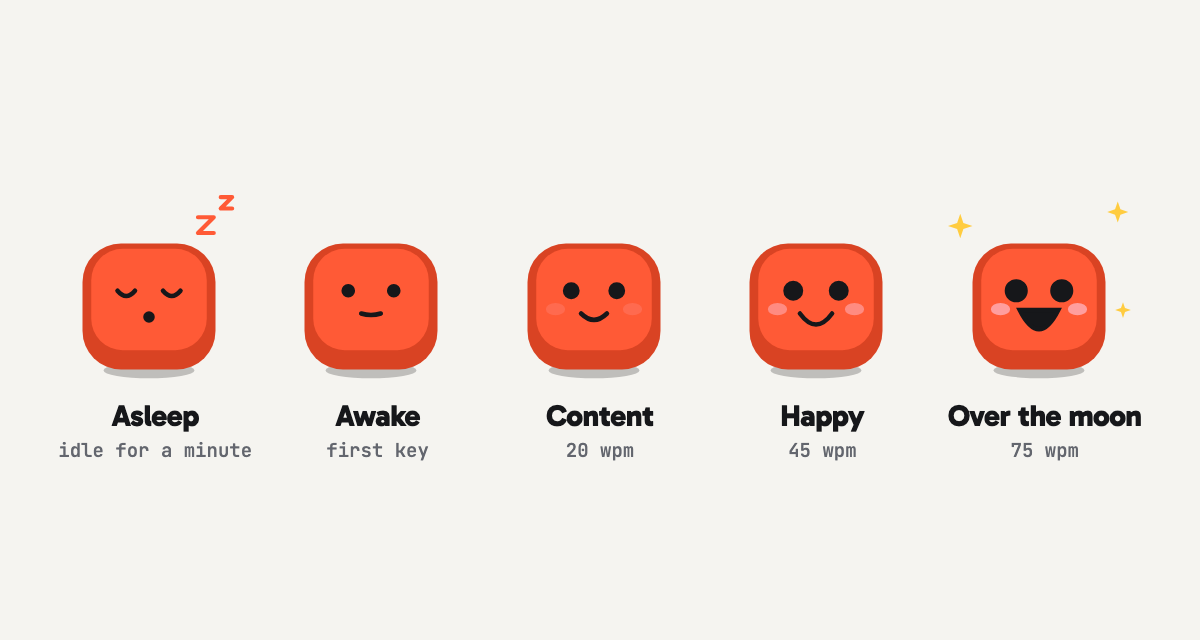
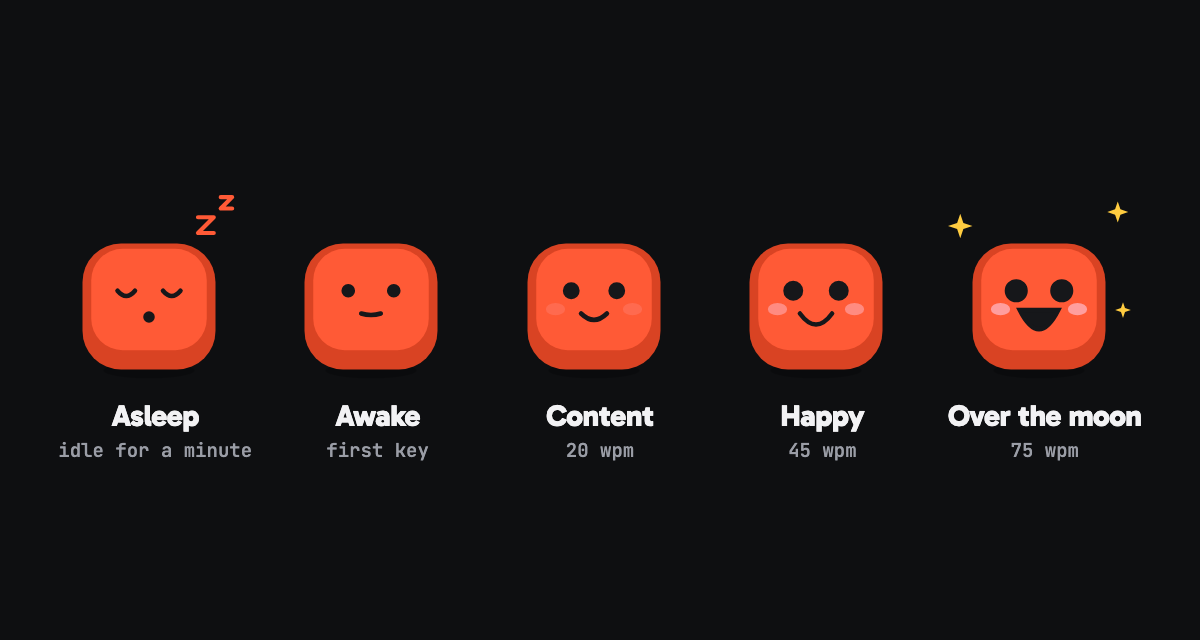
It sleeps until your first key. Then it gets happier as you speed up: content at 20 words a minute, happy at 40, excited at 50. Keep that pace and it powers up: On fire, Charged, Hero and Legend. Stop for 60 seconds and it nods off again, with a yawn first.
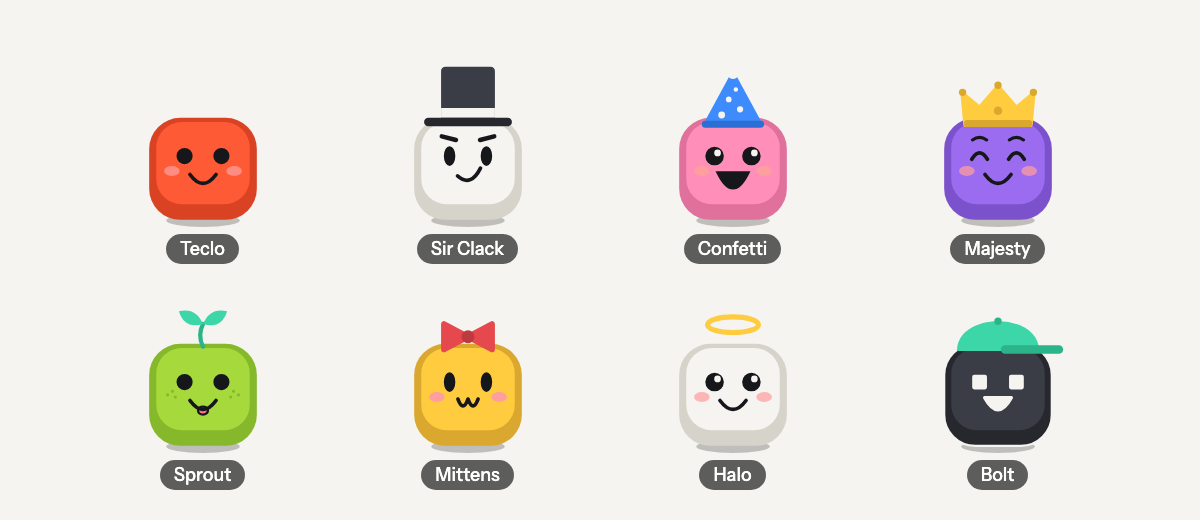
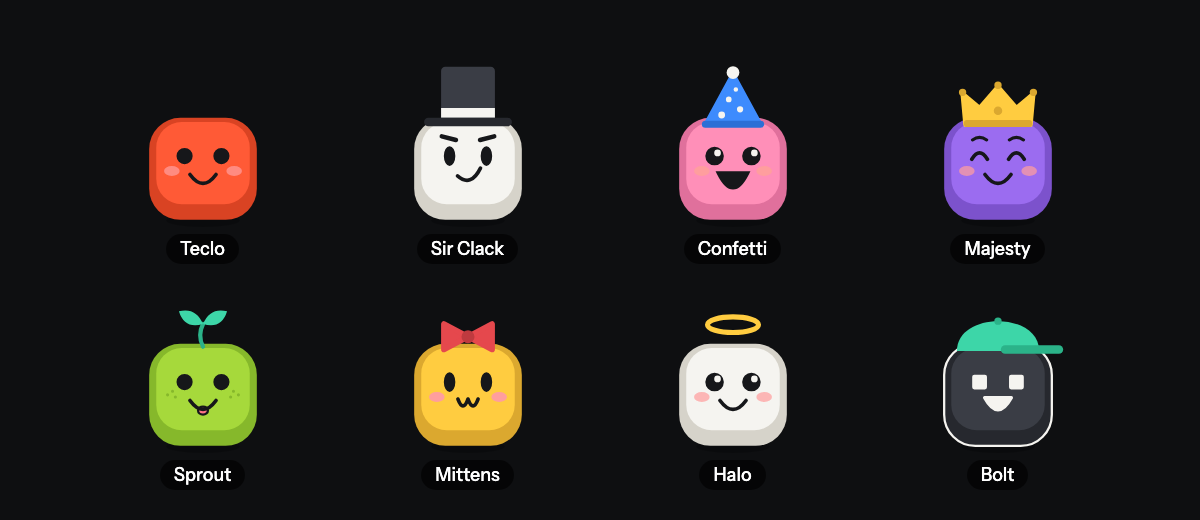
Teclo, Sir Clack, Confetti, Majesty, Sprout, Mittens, Halo or Bolt. Pick one and change anything about it: colours, eyes, mouth, hat, 3 kinds of cheeks, 2 of brows, 2 outlines and 3 sizes. Or roll the dice with Randomize.
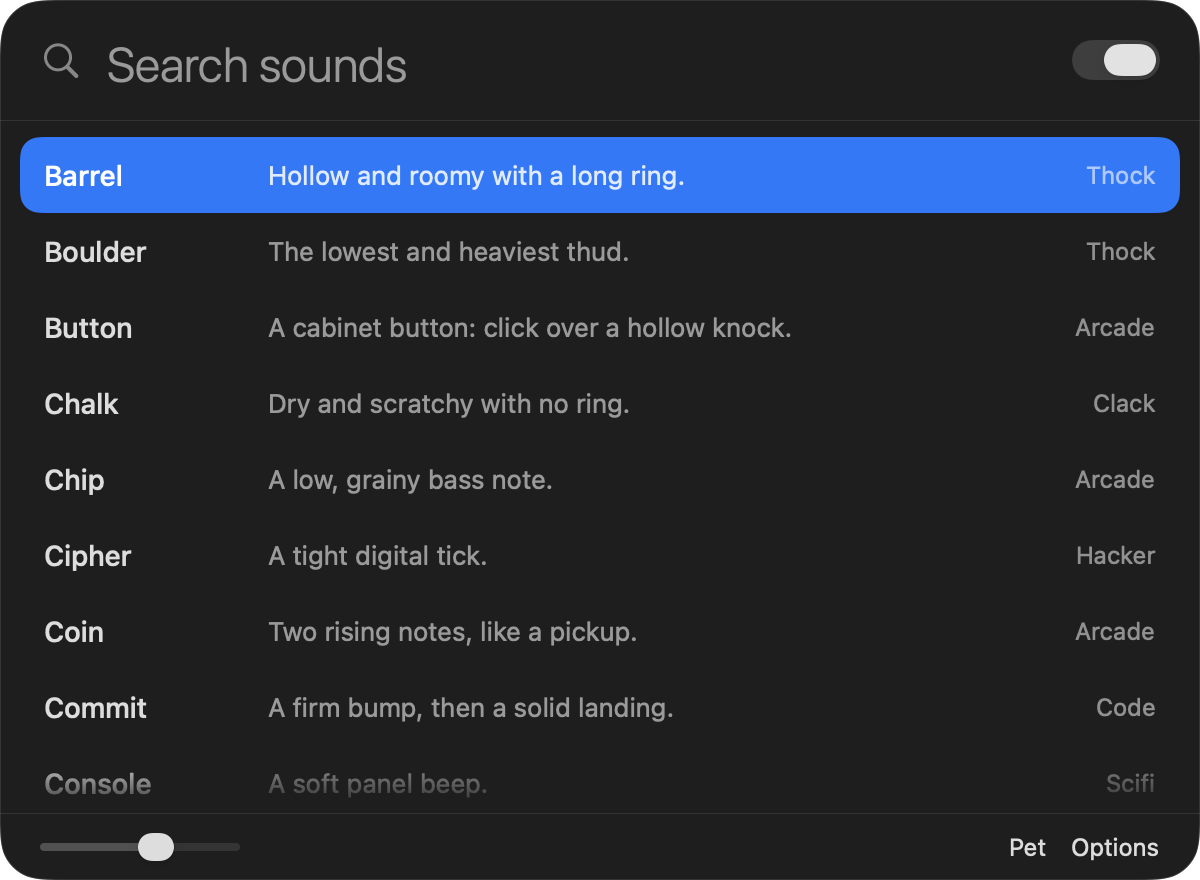
Click the icon to search packs, star your favourites and set the volume. Right-click it to pause the sound.
Each pack has five takes of an ordinary key, plus its own space, return and delete. Pressing and letting go are two different sounds, the way they are on a real board.
While it runs, Teclo works from what kind of input it was and when it happened. It keeps no history of it.
Teclo plays the sound for a key press, a click or a scroll and keeps no history of them. What you type, click and scroll is never logged or sent anywhere.
There's nothing to sign up for and Teclo has no server of its own. Your typing stays on your Mac.
To work out your speed, the pet keeps the timing of your recent key presses and a few counters. It notices Return, for its burst, and keeps no record of which keys you pressed.
Sounds on one page, the pet on another. These are the app's own screenshots, not mock-ups.
No subscription, no tiers. One purchase gets you all of it.
Teclo
$4.99
One-time purchase. This is the planned price; the Mac App Store listing has the final one.
Coming to the Mac App StoreTeclo is on its way to the Mac App Store. This page gets a download button the day it goes live.
No. It reacts to a key going down by playing a sound, and that's the end of it. What you type is never stored and never leaves your Mac.
That's the permission an app needs to notice key presses, clicks and scrolling while you work in other apps. Without it Teclo can't tell when to play a sound. You can take it back any time in System Settings.
No. Mouse clicks sound too, and each pack Teclo comes with has its own click. Scrolling can tick like a mouse wheel, and the packs Teclo comes with share one tick. Both are tick-boxes in Options: “Play mouse click sounds” starts ticked, and “Play scroll sounds” stays off until you tick it.
No. Every pack is synthesized by Teclo's own sound engine, which is how one small app carries 65 of them. The sounds on this page are the same ones the app plays.
No. You pay once on the Mac App Store and it's yours.
Yes, all of it. Pick from 10 colours or mix your own for the keycap and the accent, then choose its eyes, mouth, hat, cheeks, brows, outline and size, and give it a name. There are 8 ready-made looks and a Randomize button if you'd rather be surprised.
4 states above the pet's 5 moods: On fire, Charged, Hero and Legend. You earn each one by typing at its speed, in words a minute, for a set time while the pet is on the level below: On fire at 50 for 4 seconds, Charged at 55 for 8 seconds, Hero at 60 for 12 seconds and Legend at 70 for 20 seconds. A power-up ends once your speed has stayed under its floor for 5 seconds, and each one under it goes 2 seconds after the last. There are 4 short reactions too: a return burst, combo, cool-down and yawn.
Yes, one by one. Click the pet to open its page and untick any of On fire, Charged, Hero and Legend under Powers, or any reaction under Extras. An unticked power-up shows as the highest ticked level under it, and with all 4 unticked the pet stops at excited.
Yes. Open Options and untick “Show the pet”. You can also drag it anywhere on screen.
A Mac with macOS 13 or later.